
Four products. One platform.
SciMynd combines interactive 3D models, visual authoring, a specialist-vetted knowledge hub, and adaptive workflows into a single enterprise ready stack.
Browser based 3D human anatomy.
No downloads, no plugins. Thousands of anatomical structures with AI powered exploration, voice control, and a complete toolkit for education and professional use.
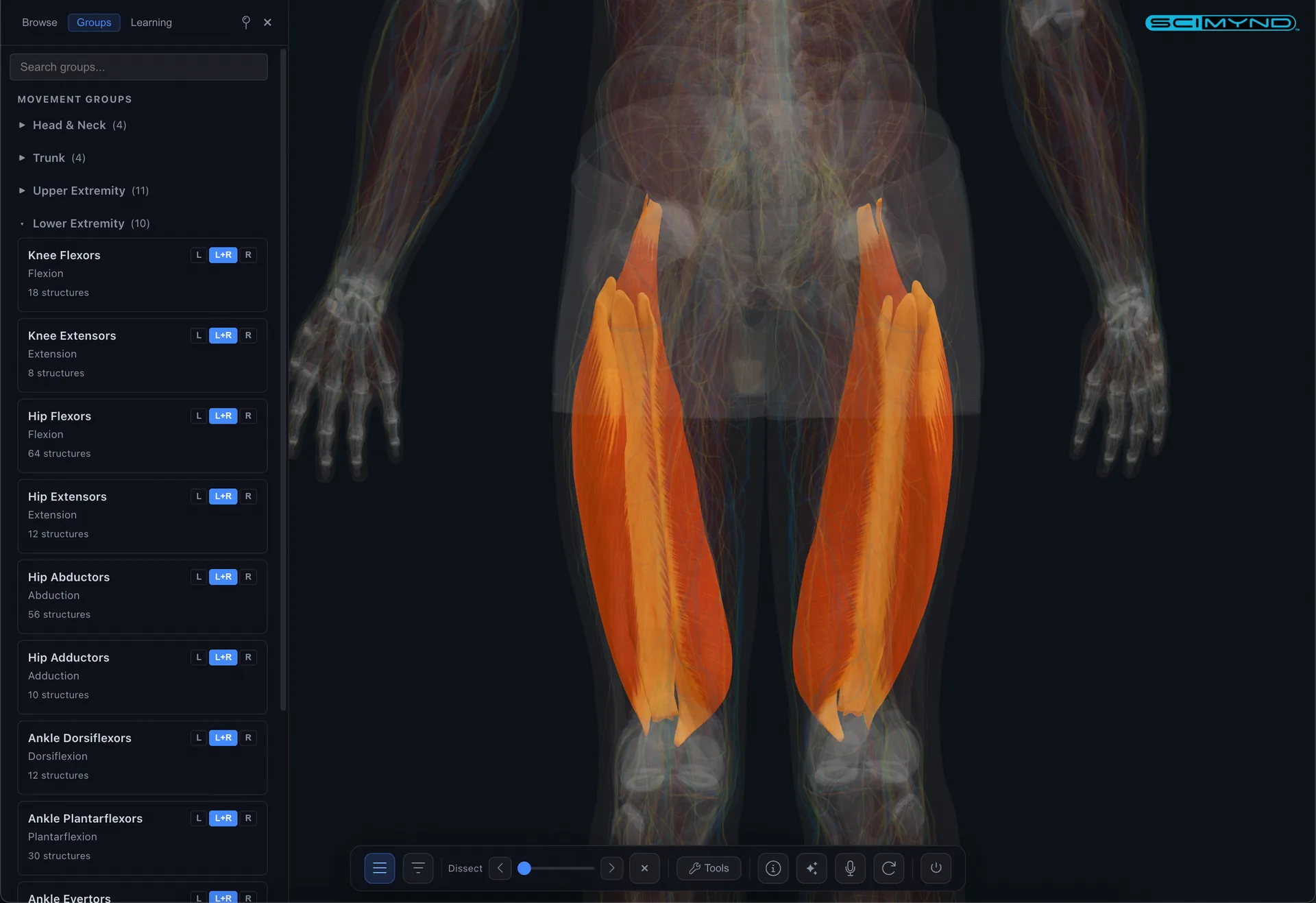
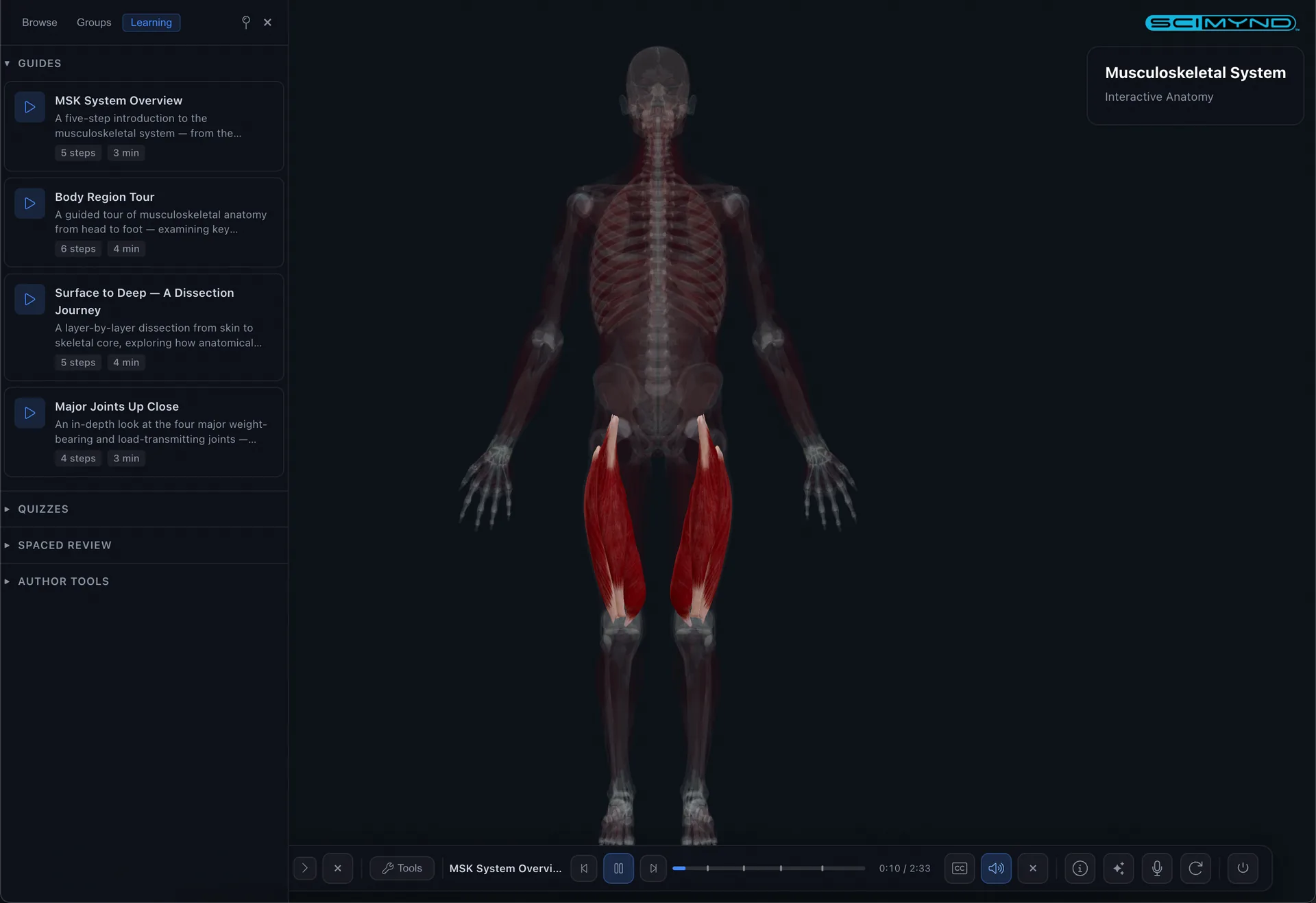
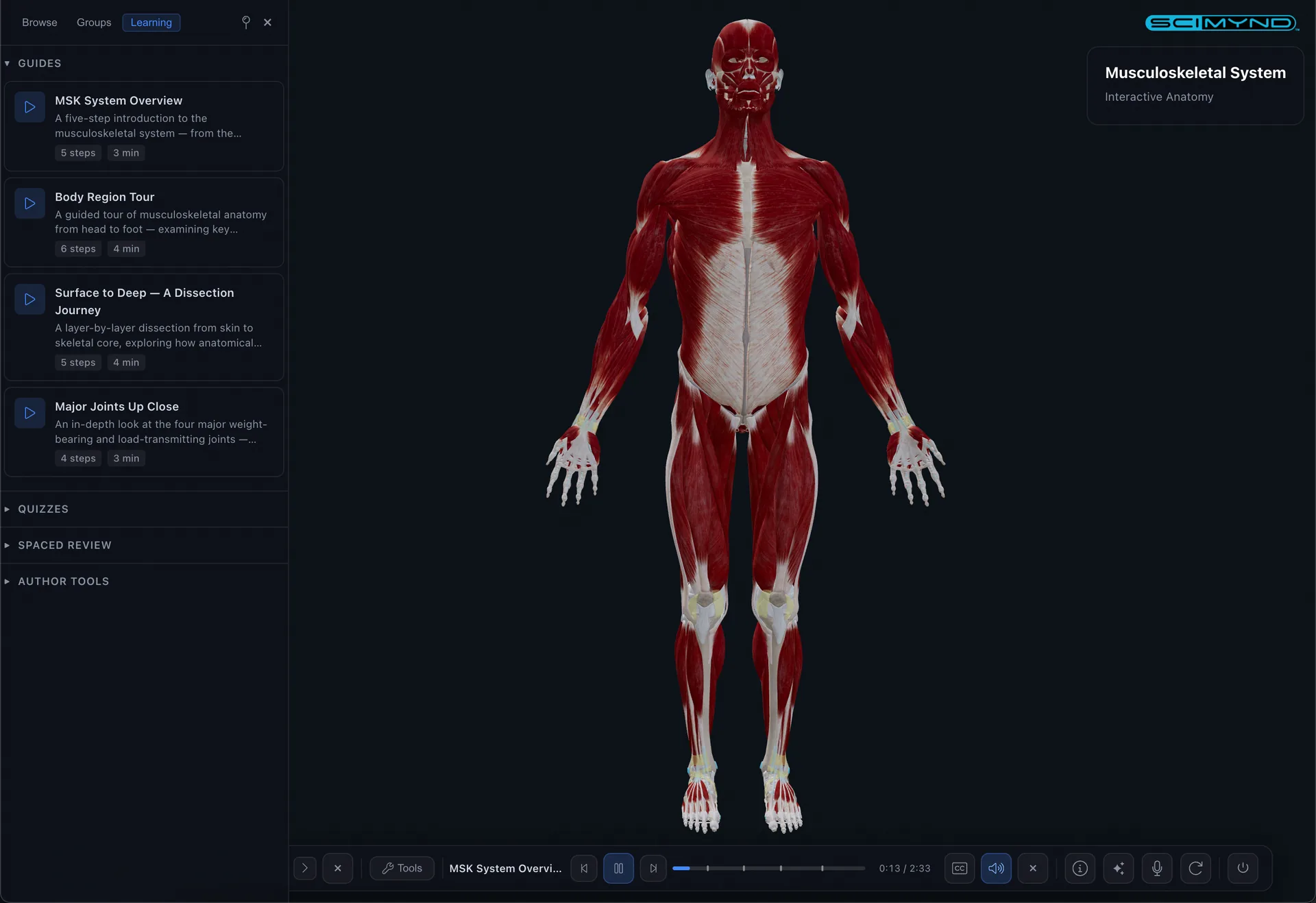
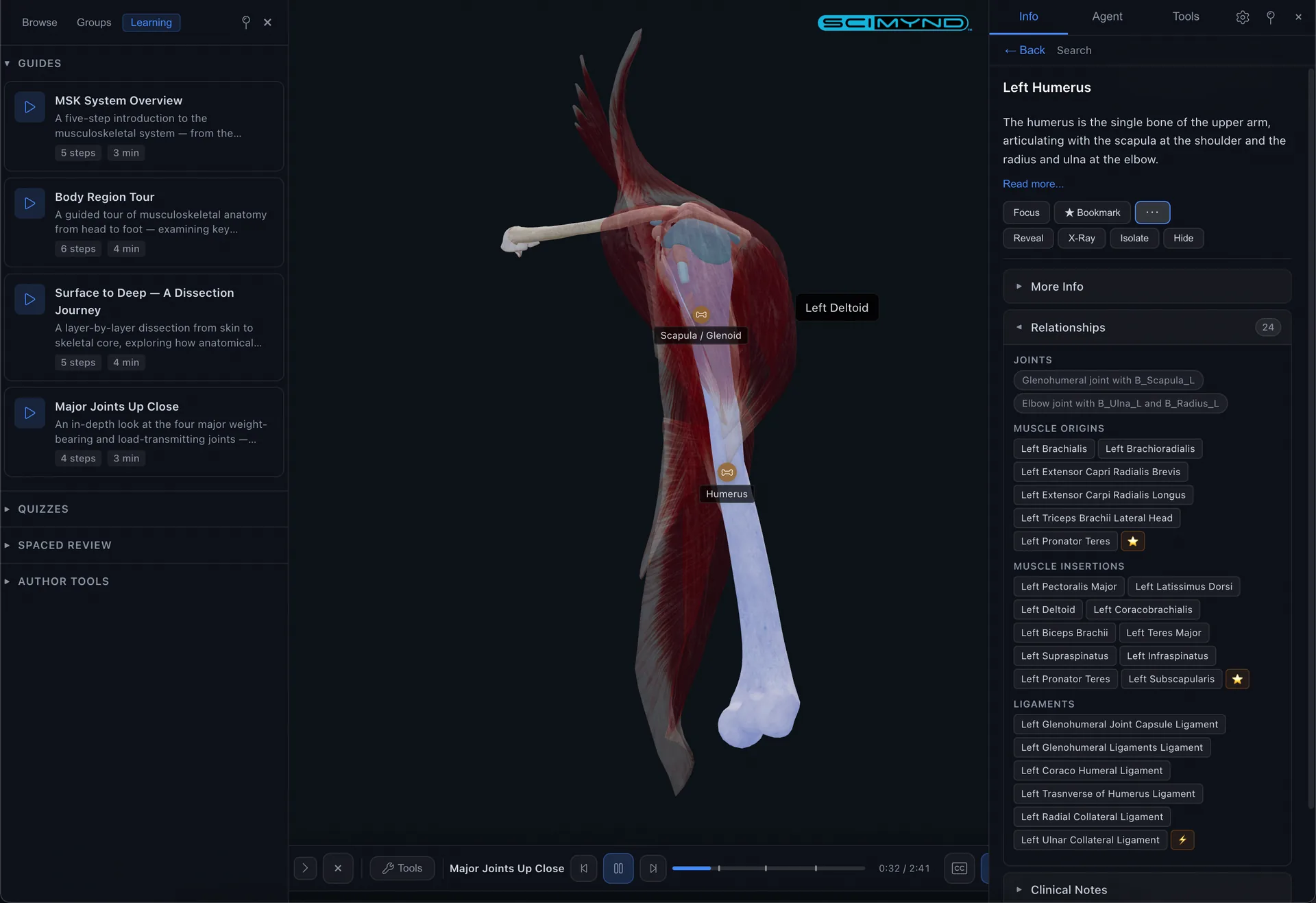
Browse & Filter
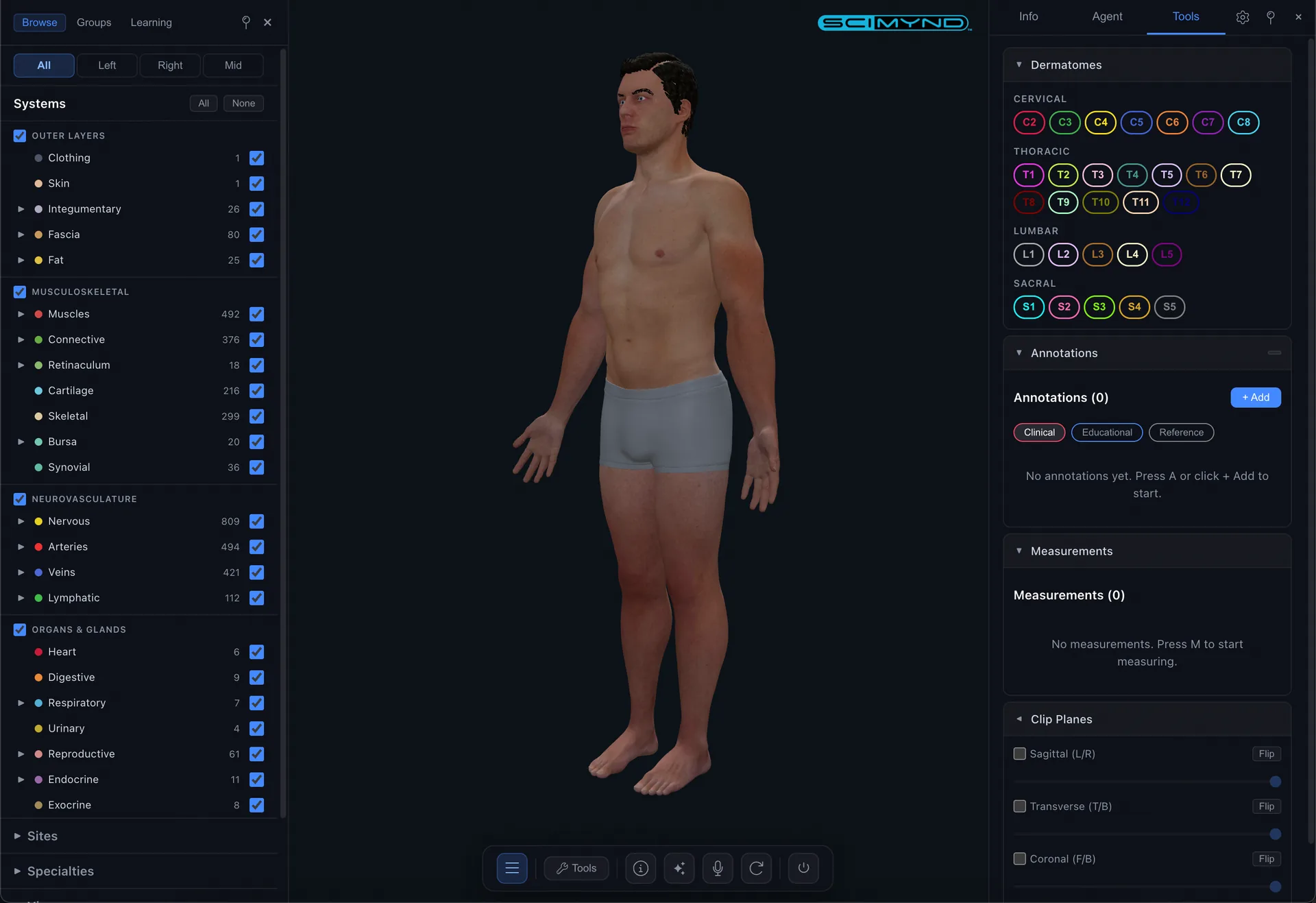
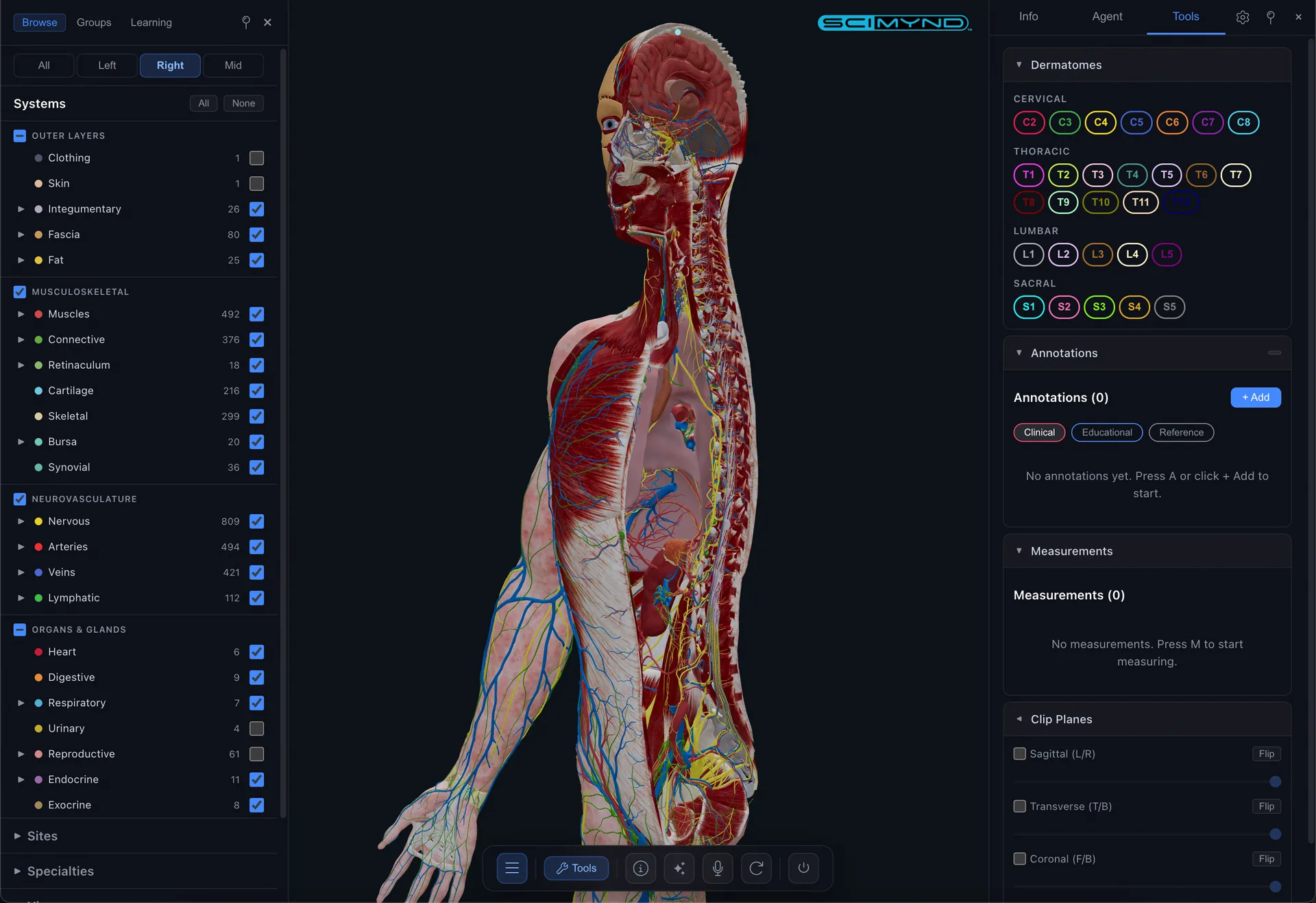
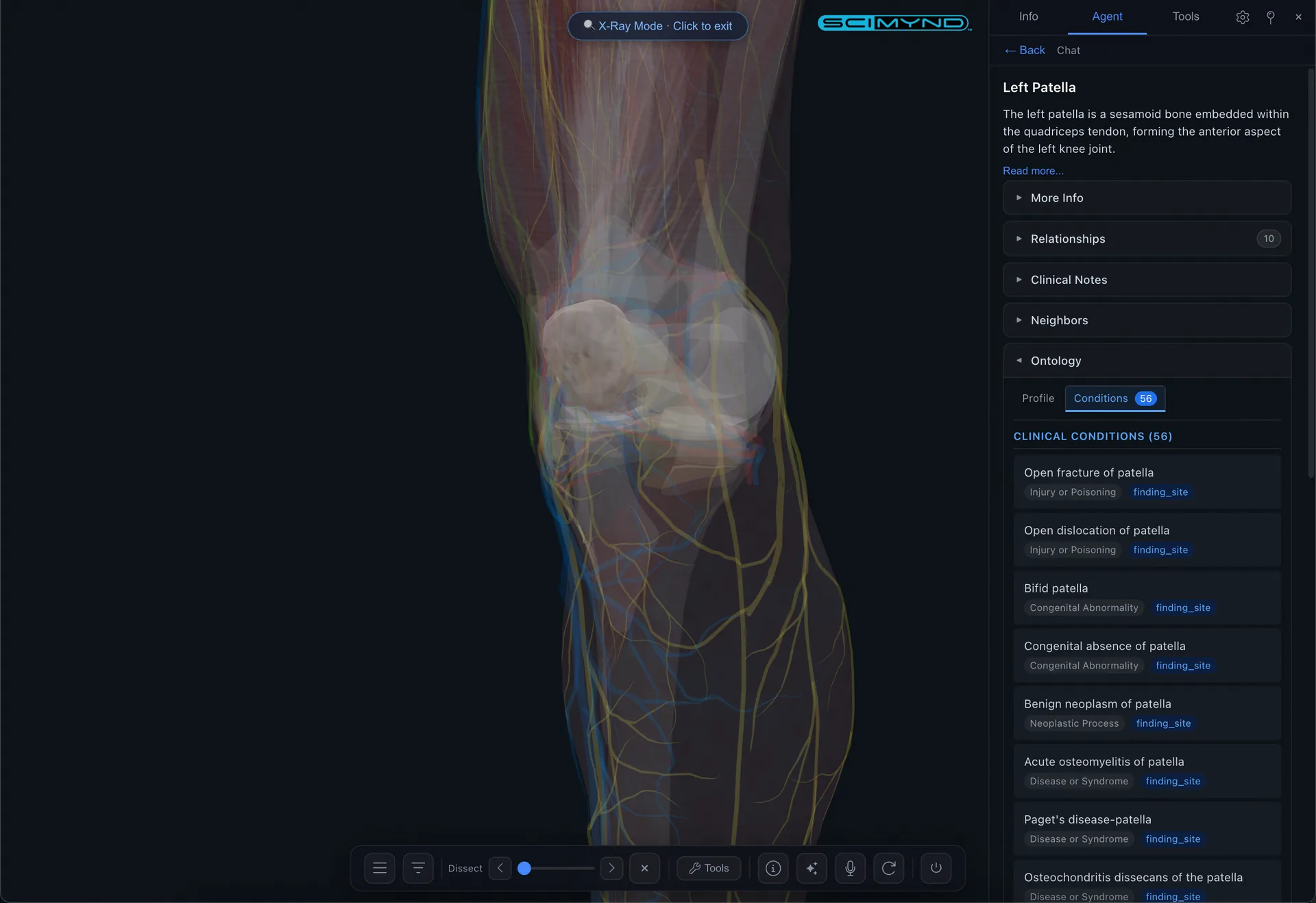
Toggle anatomical systems on and off. Filter by region, depth, laterality. Shift click to solo a system. Multiple filter categories let you pinpoint exactly the structures you need.
Universal Search
Search across structures, configs, bookmarks, and learning paths from one keyboard shortcut. Results appear instantly with camera fly to and automatic highlighting.
Structure Intelligence
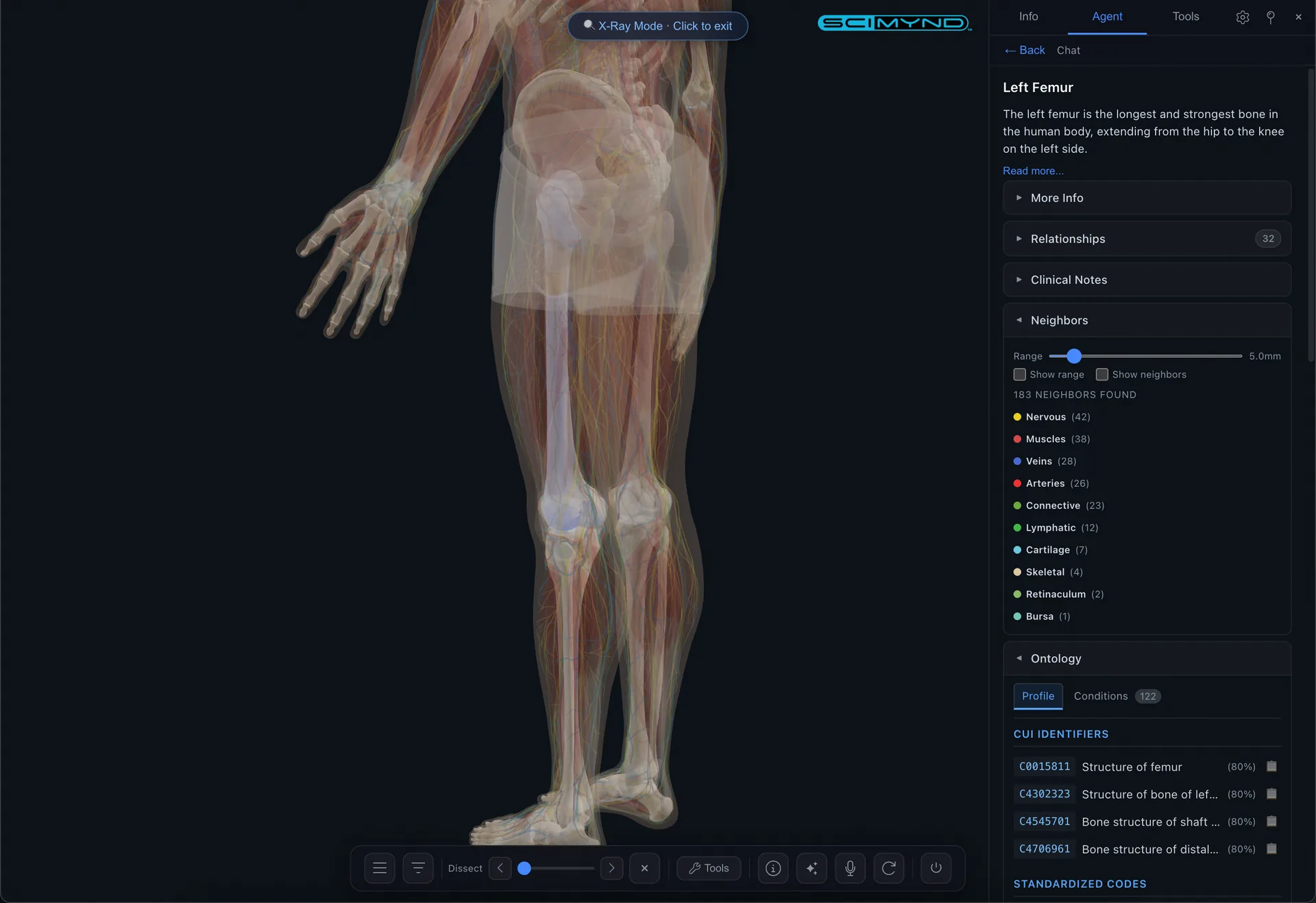
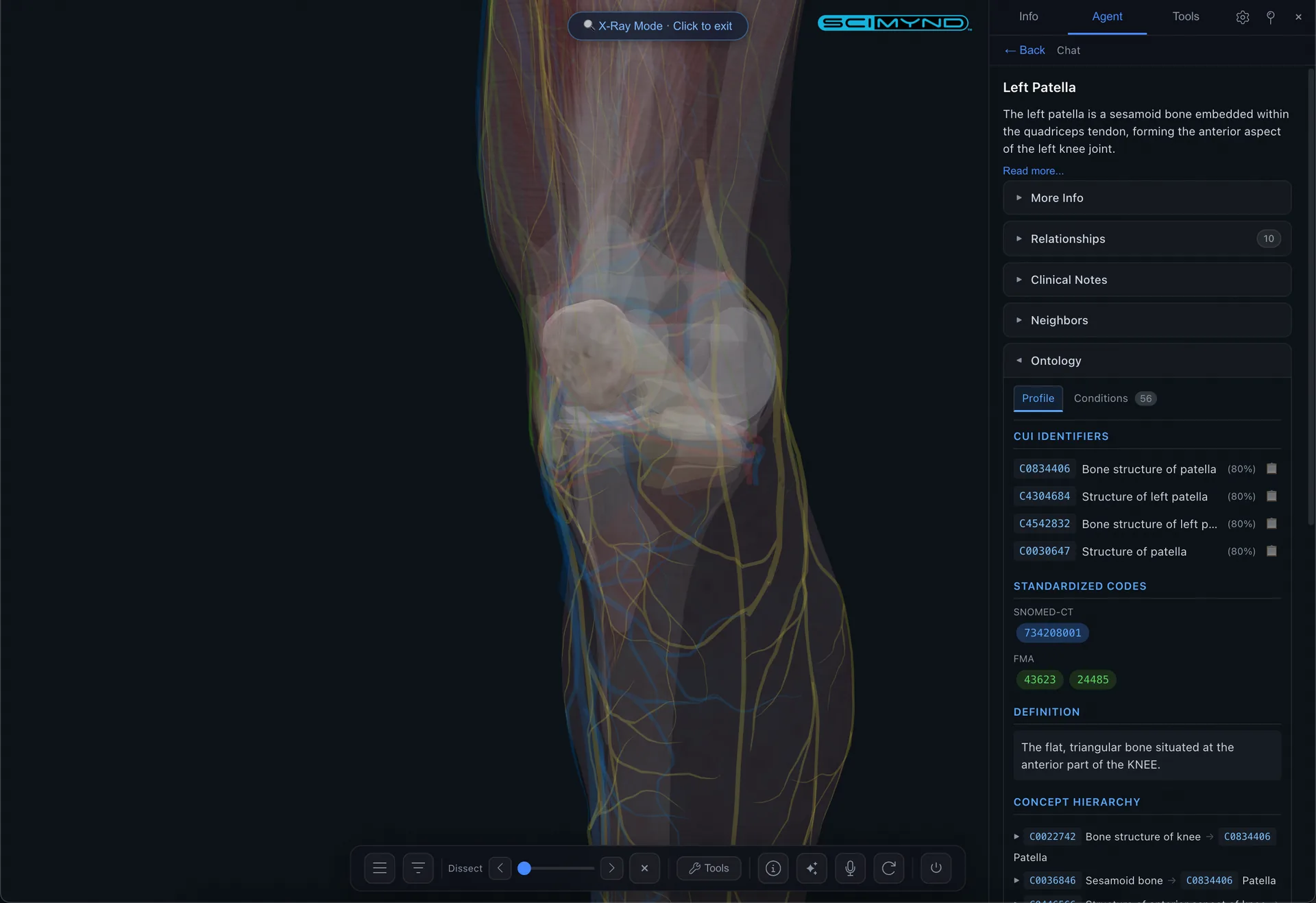
Every structure comes with detailed information including relationships, origin/insertion, innervation, neighbors with adjustable range, and clinical context.
AI Assistant
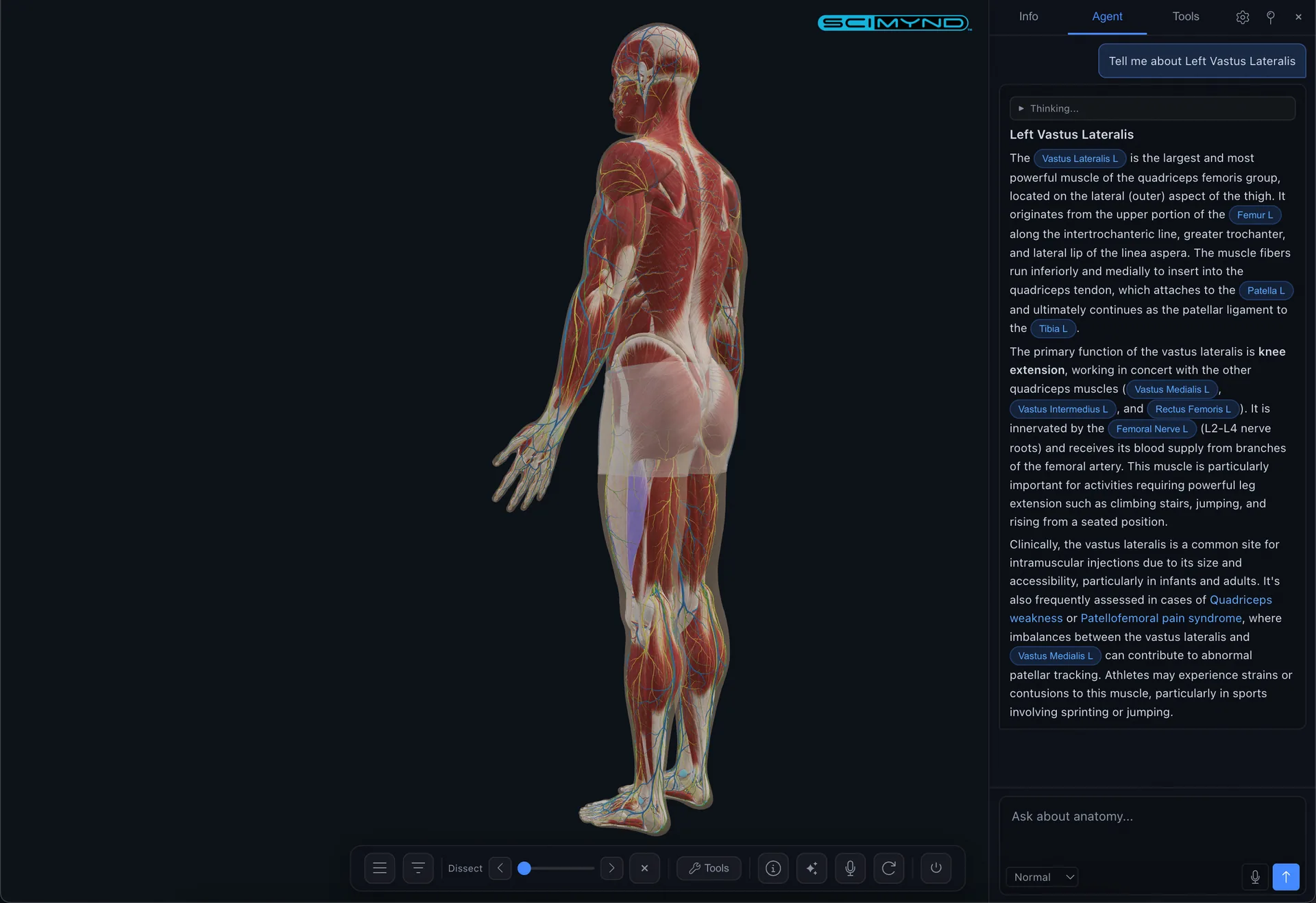
Ask anything about anatomy. The built in AI understands the full model and responds in real time with clickable structure references right in the response.
AI Voice Control
Hands free conversational experience. Speak naturally and the AI listens, responds, and controls the viewer simultaneously. Every action is undoable with a single word.
Guided Tours
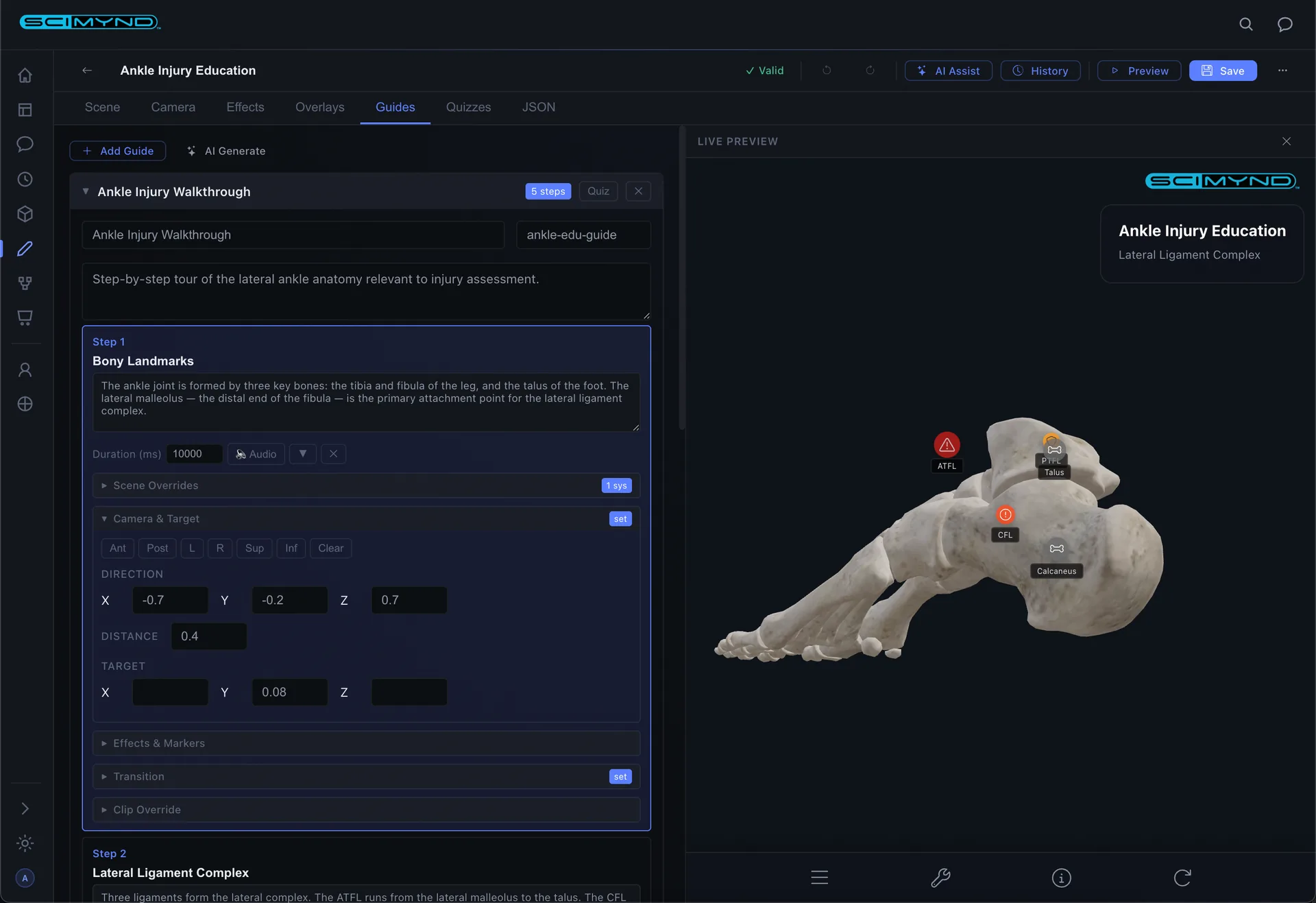
Step by step narrated anatomy tours with camera control, visual effects, chapter markers, and comprehension gates built right in.
Interactive Quizzes
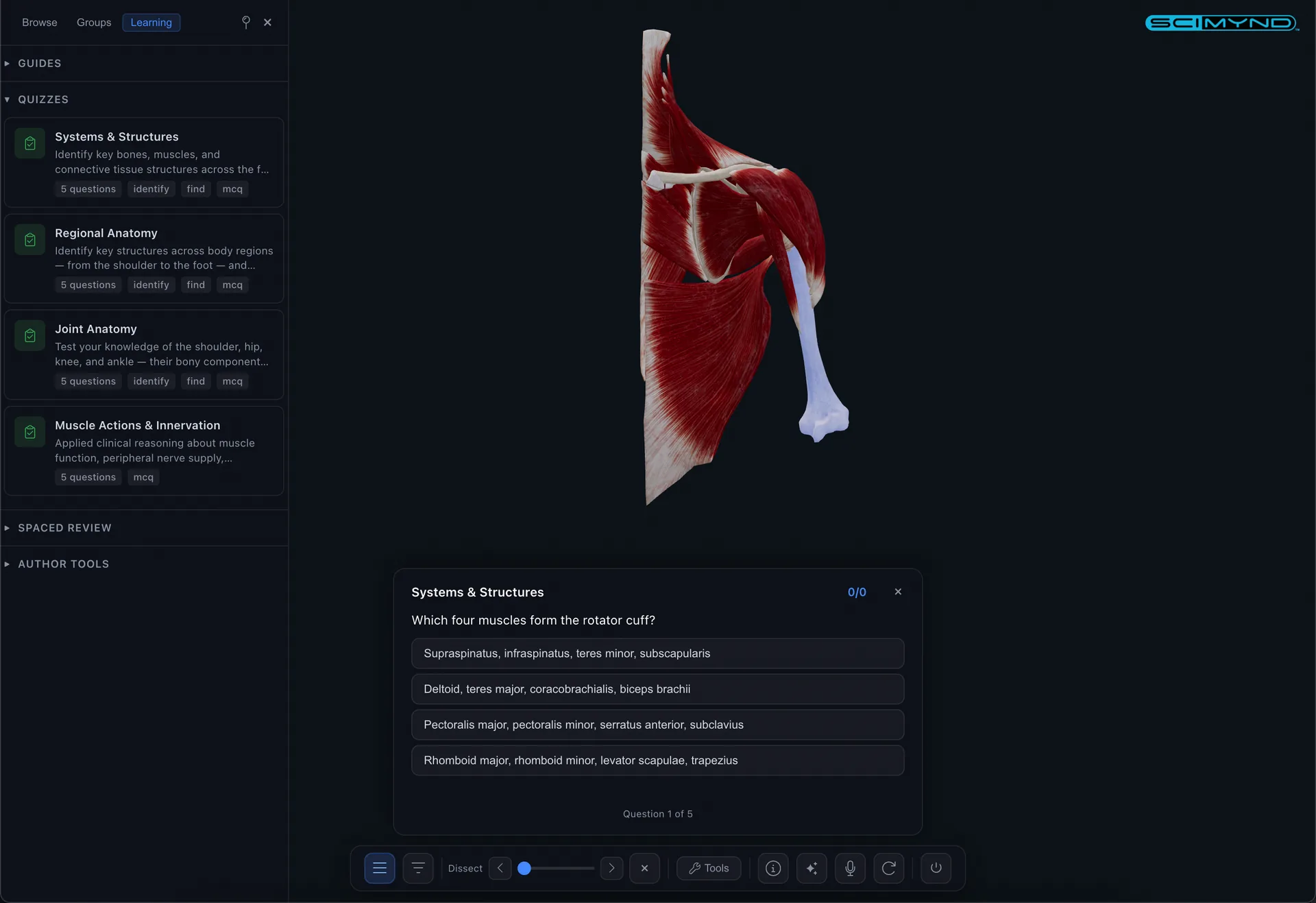
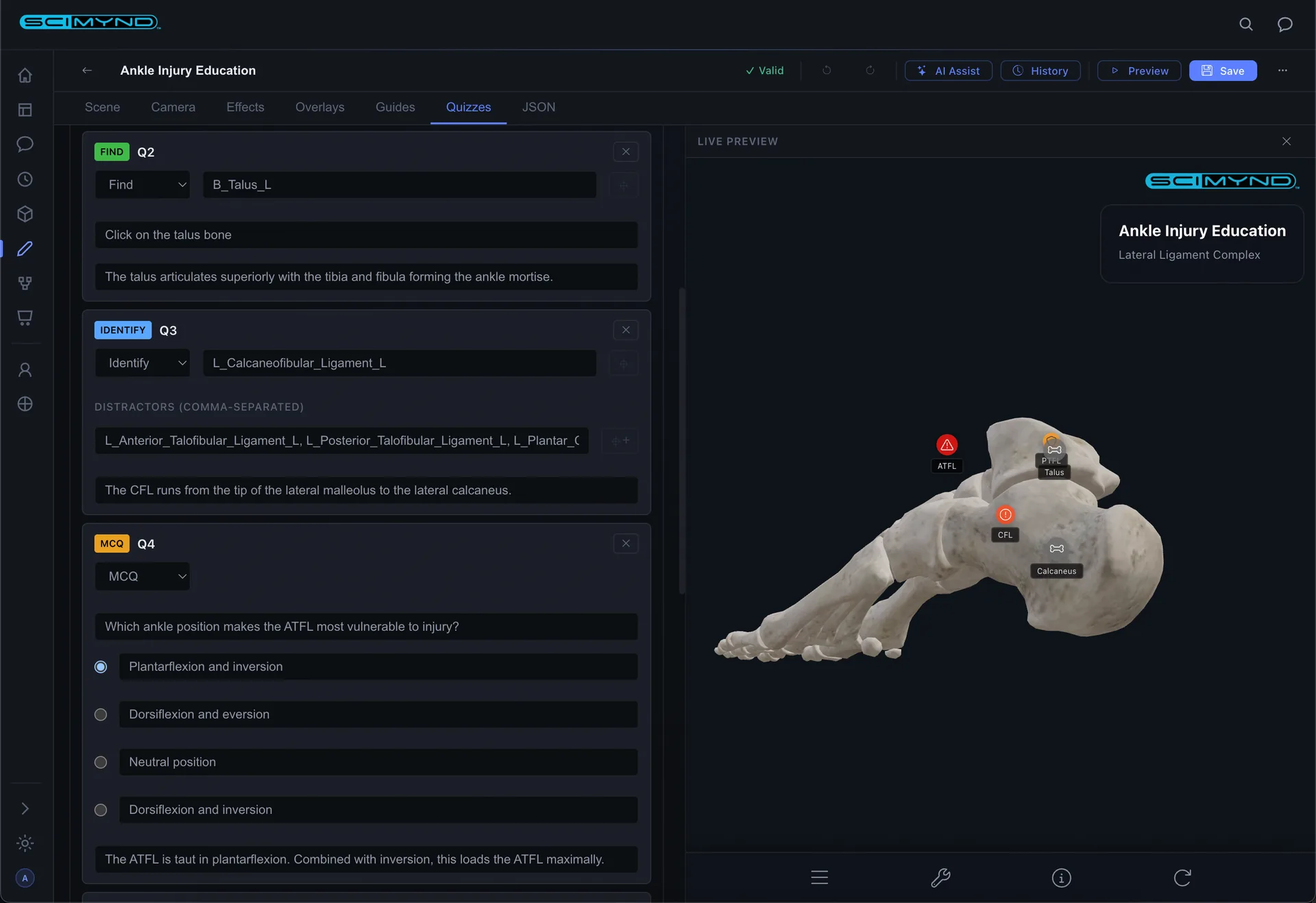
Identify mode highlights a structure and asks you to name it. Find mode asks you to click the correct structure in the 3D model. Immediate feedback with explanations.
Spaced Repetition
Tracks what you've learned and schedules reviews at optimal intervals. Mastery overlay colors the entire 3D model by review status: green for mastered, red for due.
Dissection & Clip Planes
Strip away layers from skin to skeleton with the dissection slider. Anatomical clipping planes slice through the body in any direction with solid cross section fills.
Exploded View
Separate all structures outward to reveal deeply buried anatomy. Adjustable slider controls the spread distance.
Smart Reveal & X Ray
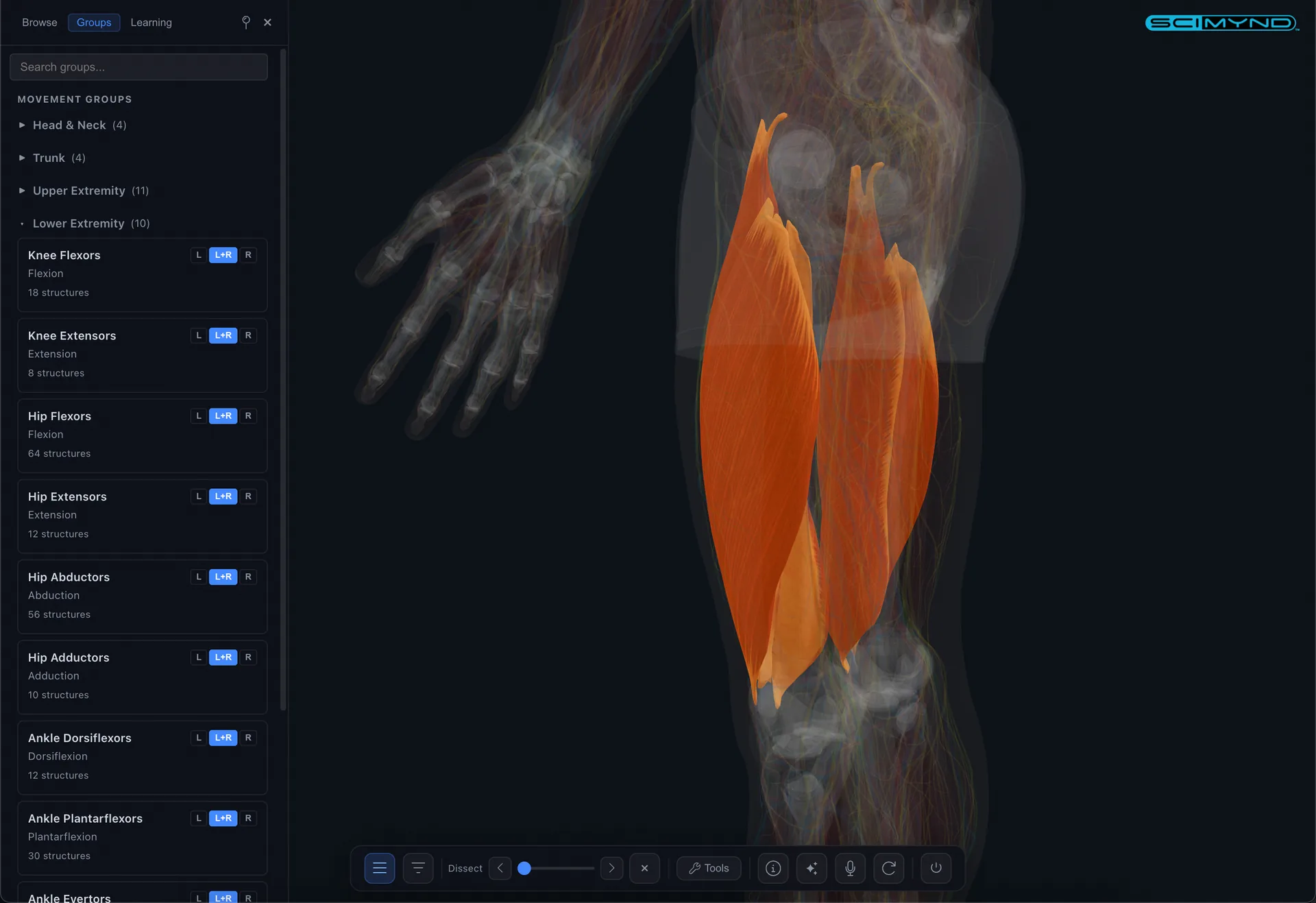
Focus, isolate, hide, and reveal structures. Smart reveal strips overlying layers automatically. X Ray mode provides ghost transparent views. Full undo support.
Presentation & Sharing
Fullscreen presentation mode with auto rotate and laser pointer. Share any view as a link, QR code, or embeddable iframe. Labels, annotations, bookmarks, and measurements.
Visual authoring for 3D anatomy learning.
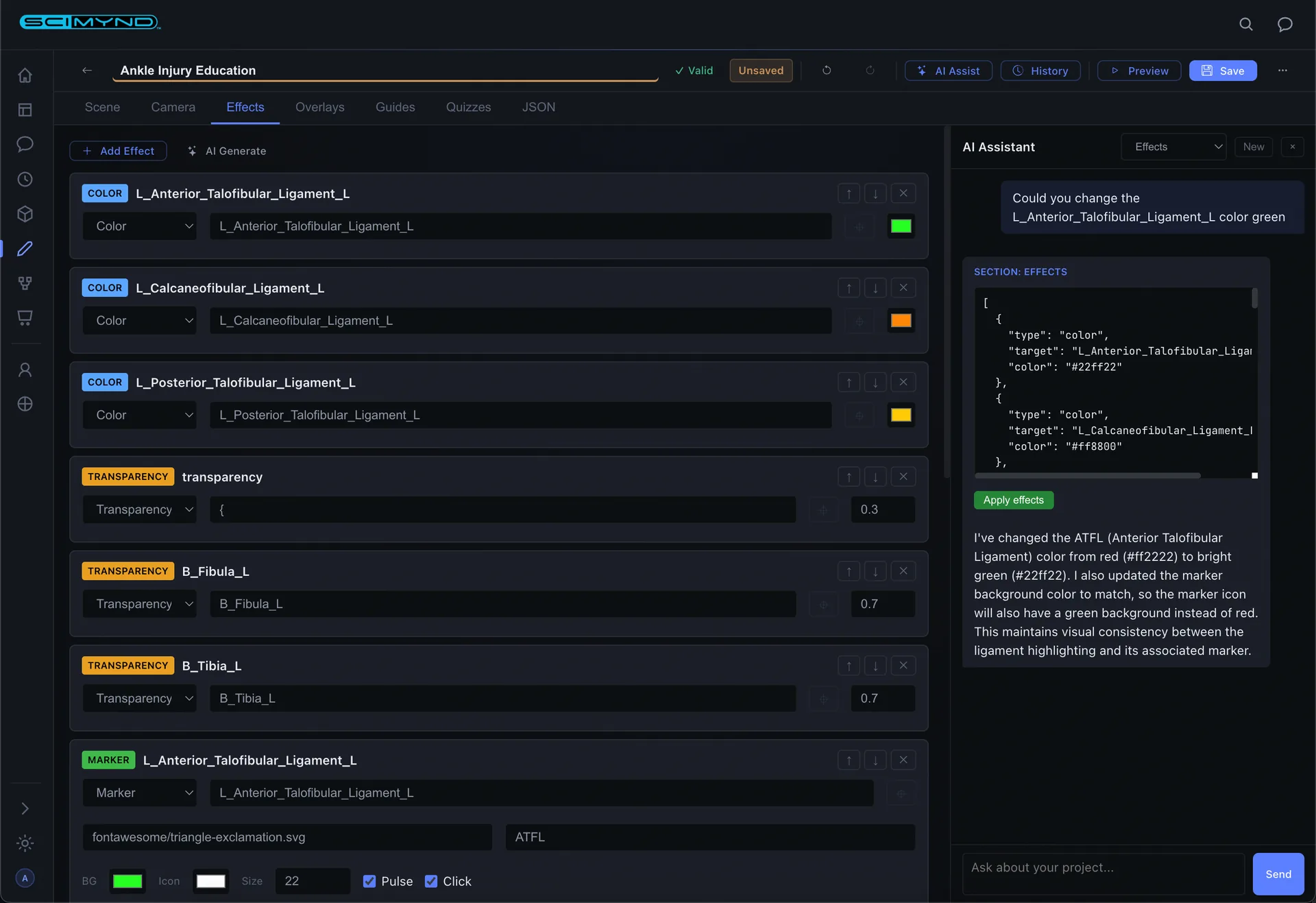
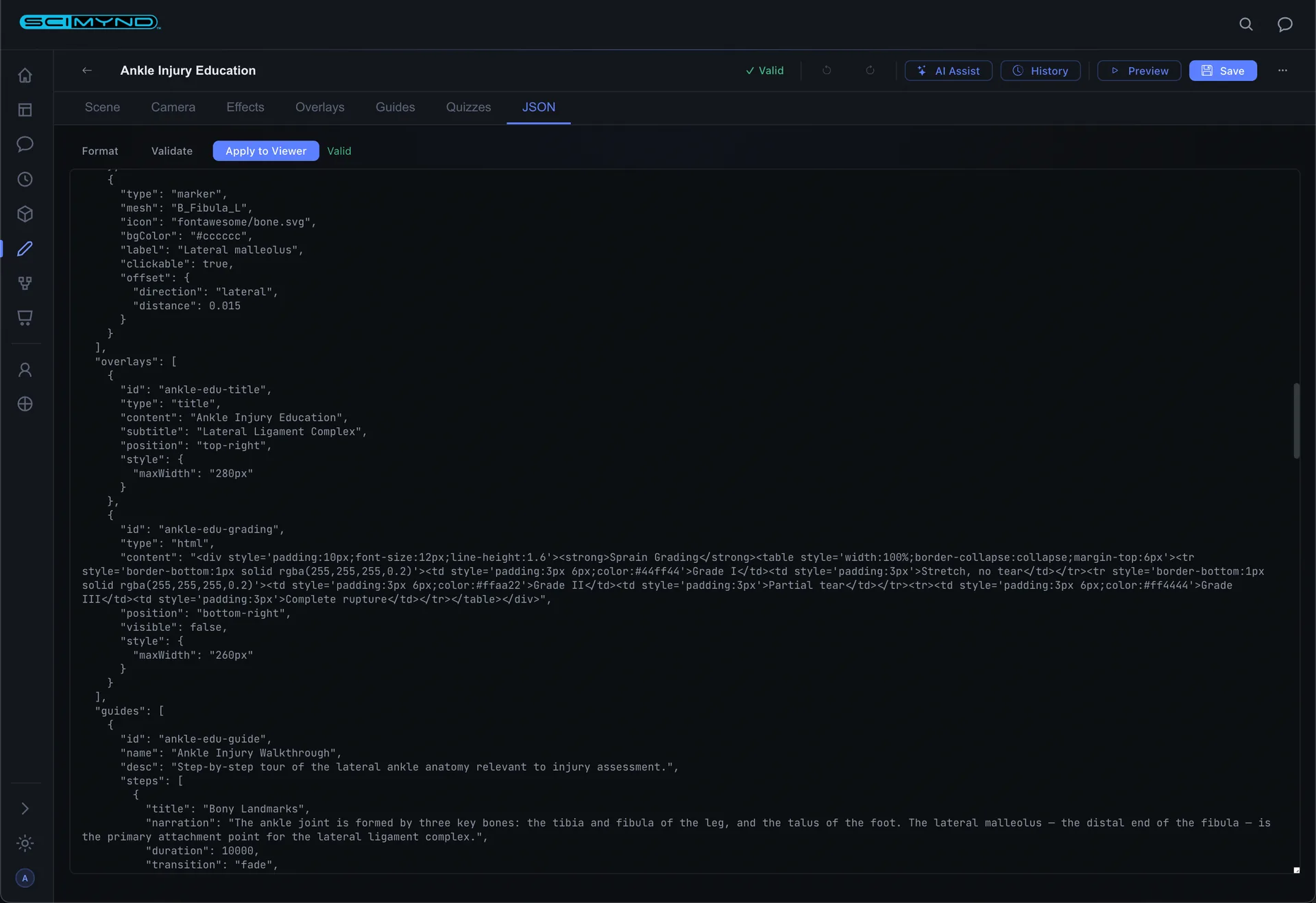
Create interactive 3D anatomy learning experiences with a visual editor, live preview, and AI that generates complete modules from plain English descriptions.
Project Management
Visual card grid with search, category filtering, and one click clone/edit/preview/delete. Everything managed from a single dashboard.
AI Content Generation
Describe your topic, choose specialty and content types, and AI generates a complete learning module with guided tours, quizzes, visual effects, and 3D markers in seconds.
Scene Configuration
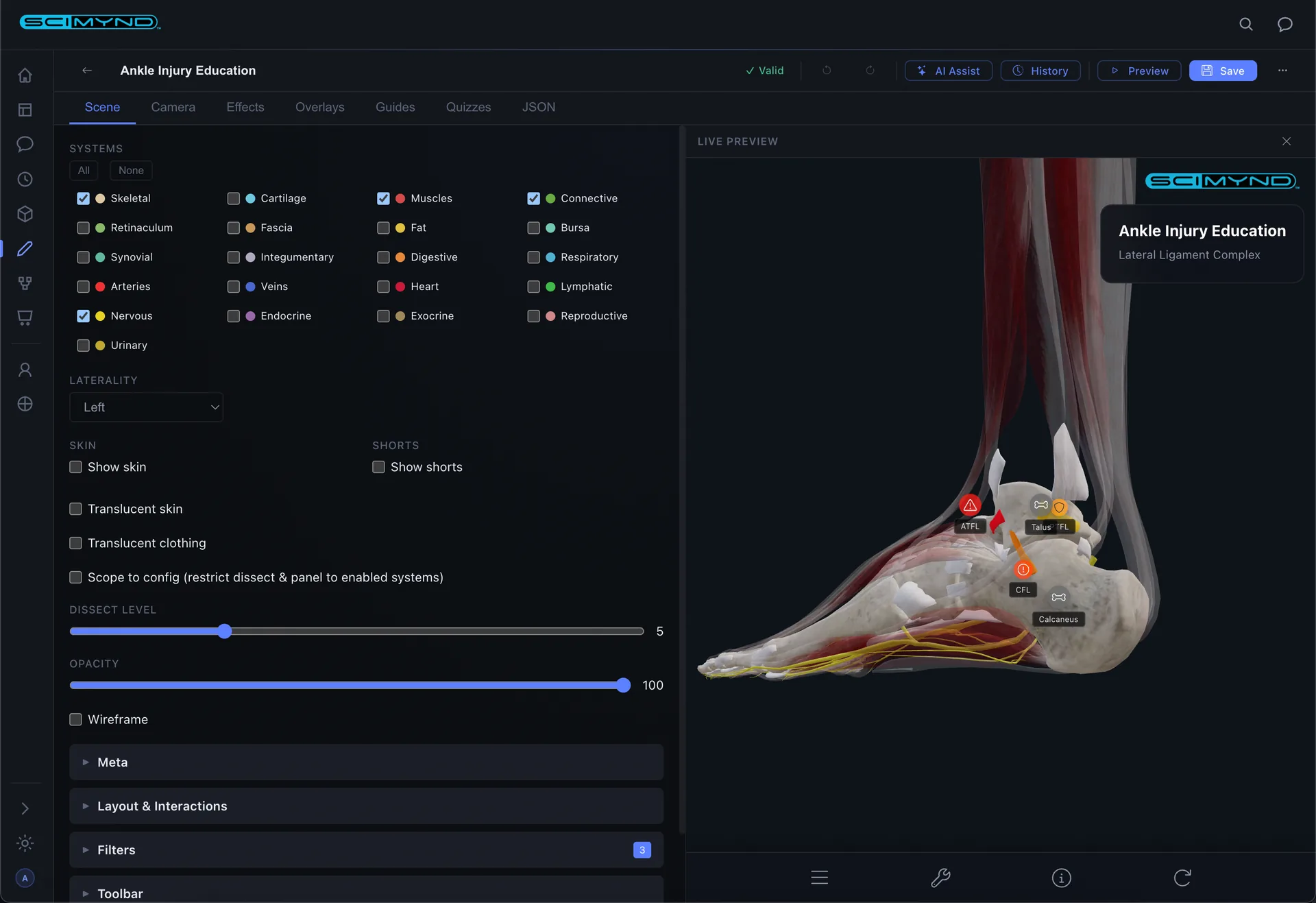
Toggle anatomical systems, set skin transparency, adjust dissection depth, configure laterality. Full control over what learners see.
Live 3D Preview
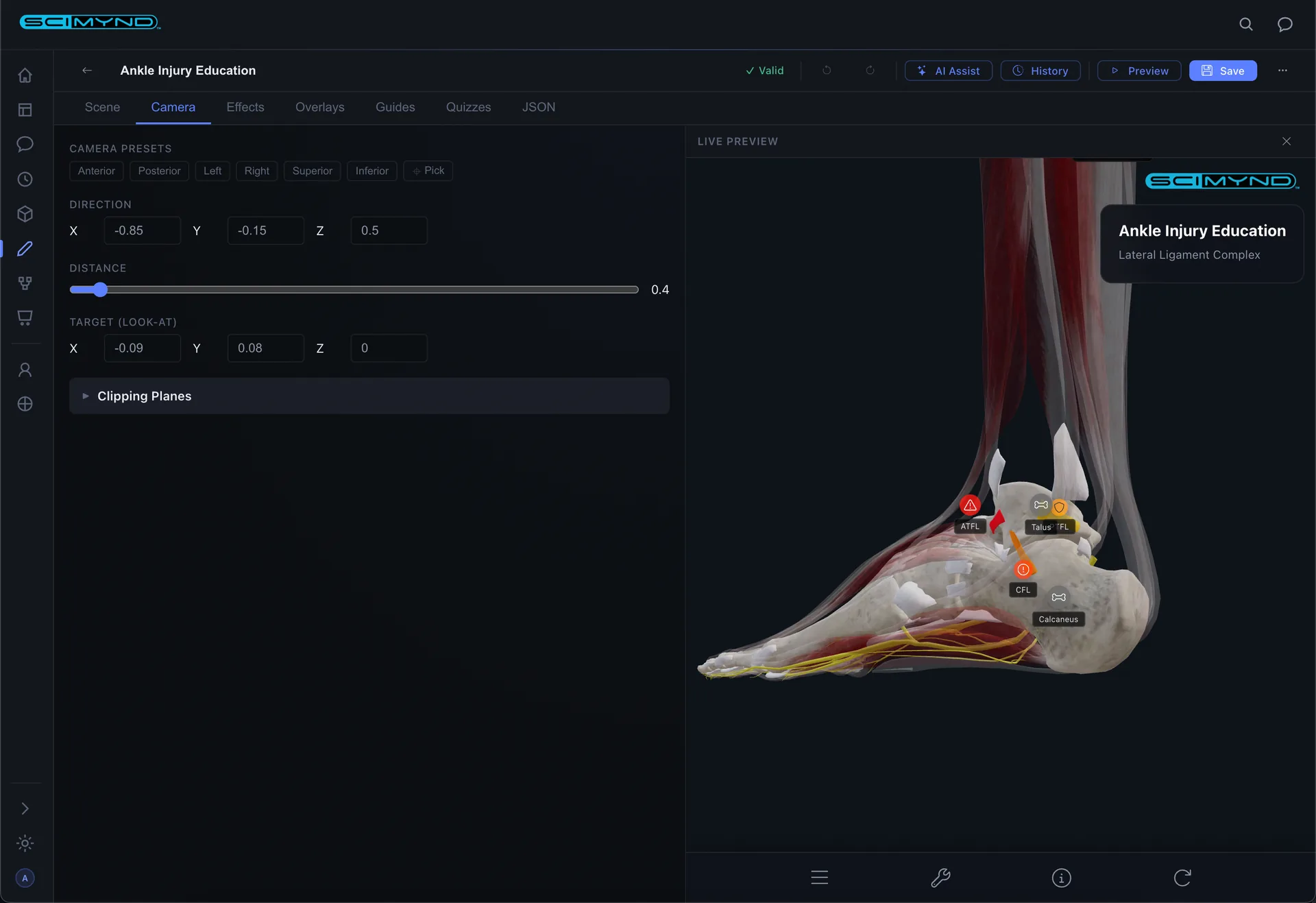
Every change updates the 3D preview in real time. Click structures in the preview to populate fields automatically. What you see is what learners get.
Visual Effects Engine
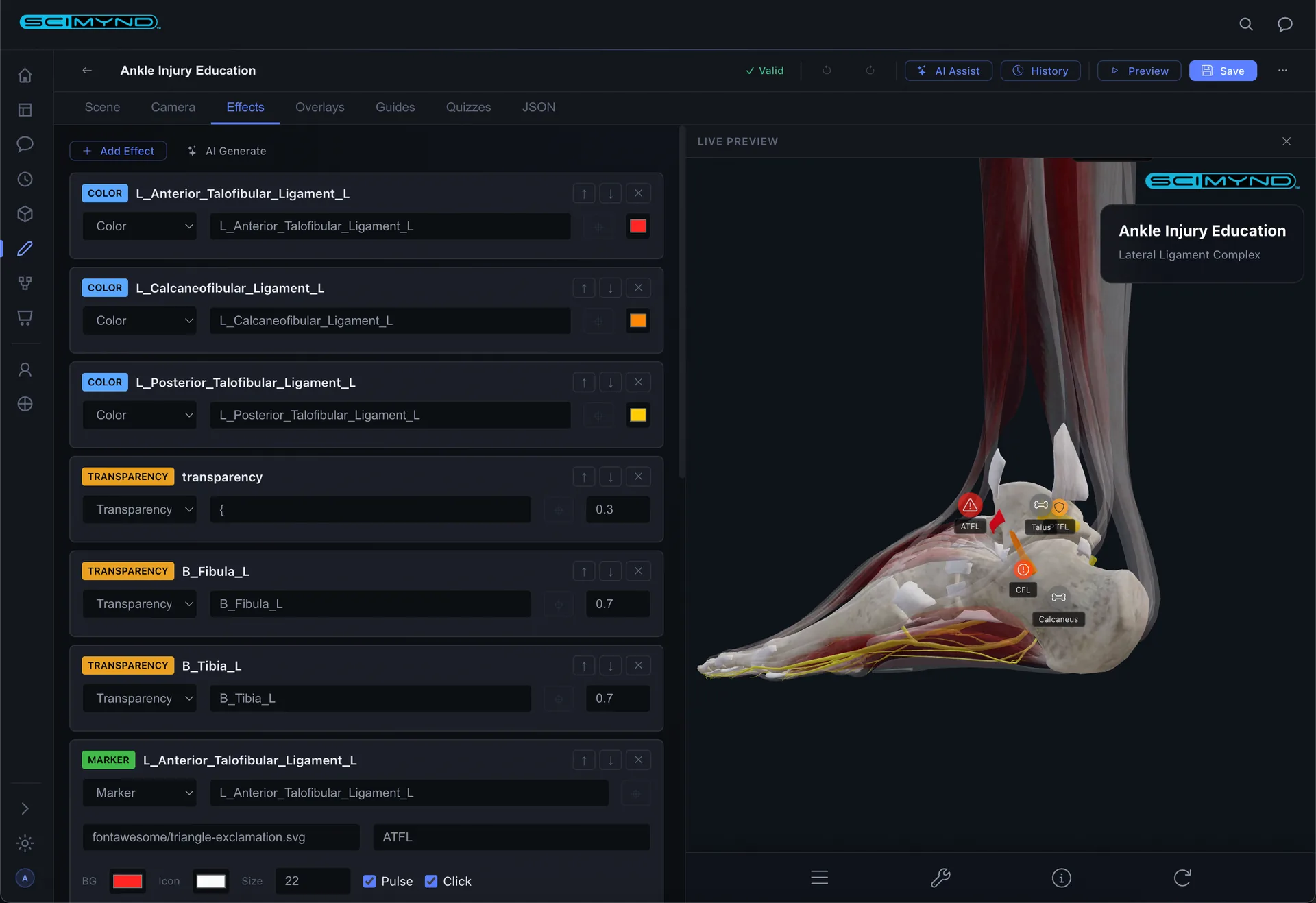
Color tints, transparency, glowing outlines, and floating markers, all targeted to specific structures. Click to pick directly from the 3D model.
Guided Tour Builder
Build step by step narrated tours with camera control, system visibility, and visual effects per step. AI powered audio narration generates voiceover automatically.
Quiz Authoring
Multiple choice, identify from highlight, and click to find in the 3D model. AI auto generates quizzes from your guided tours.
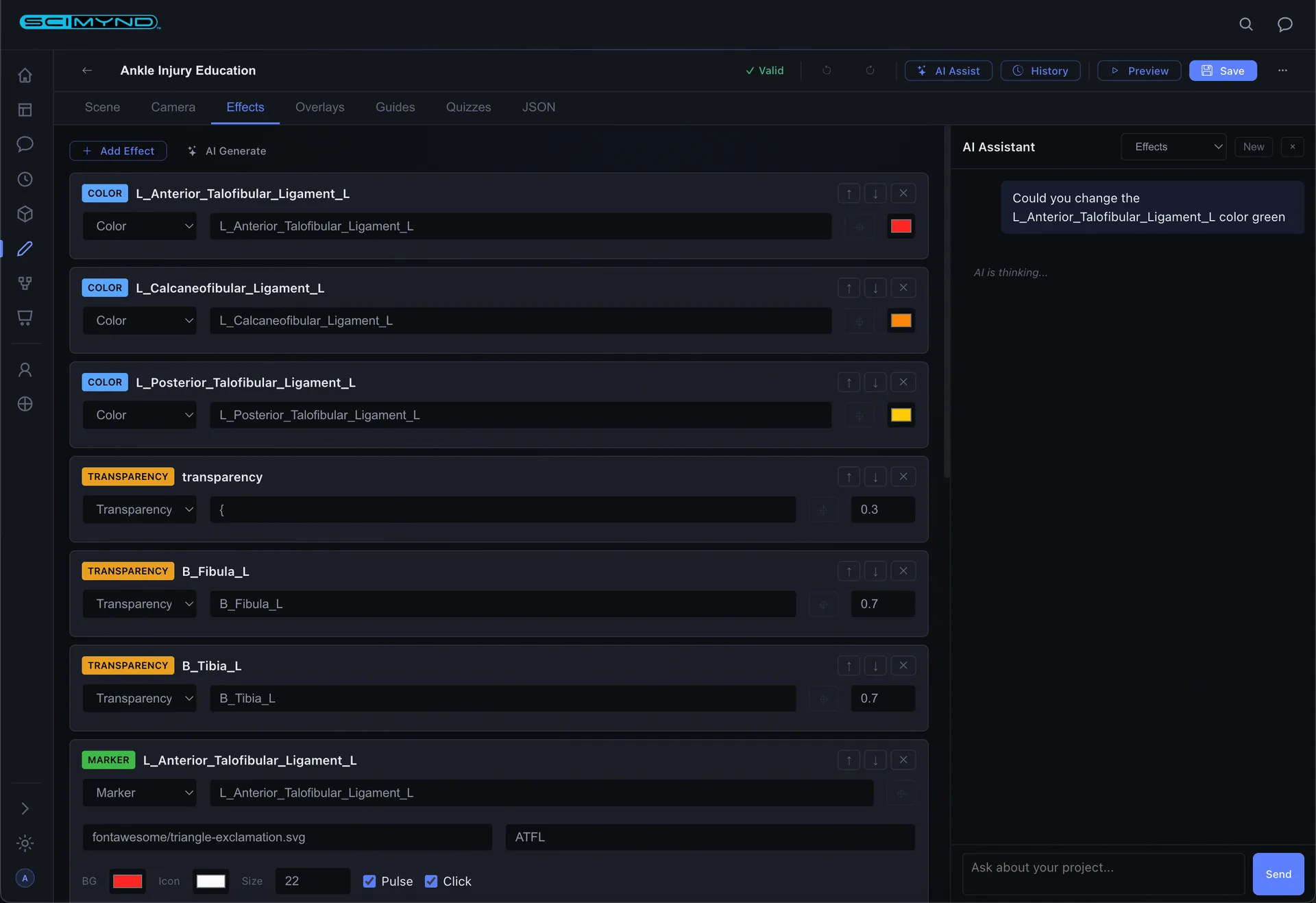
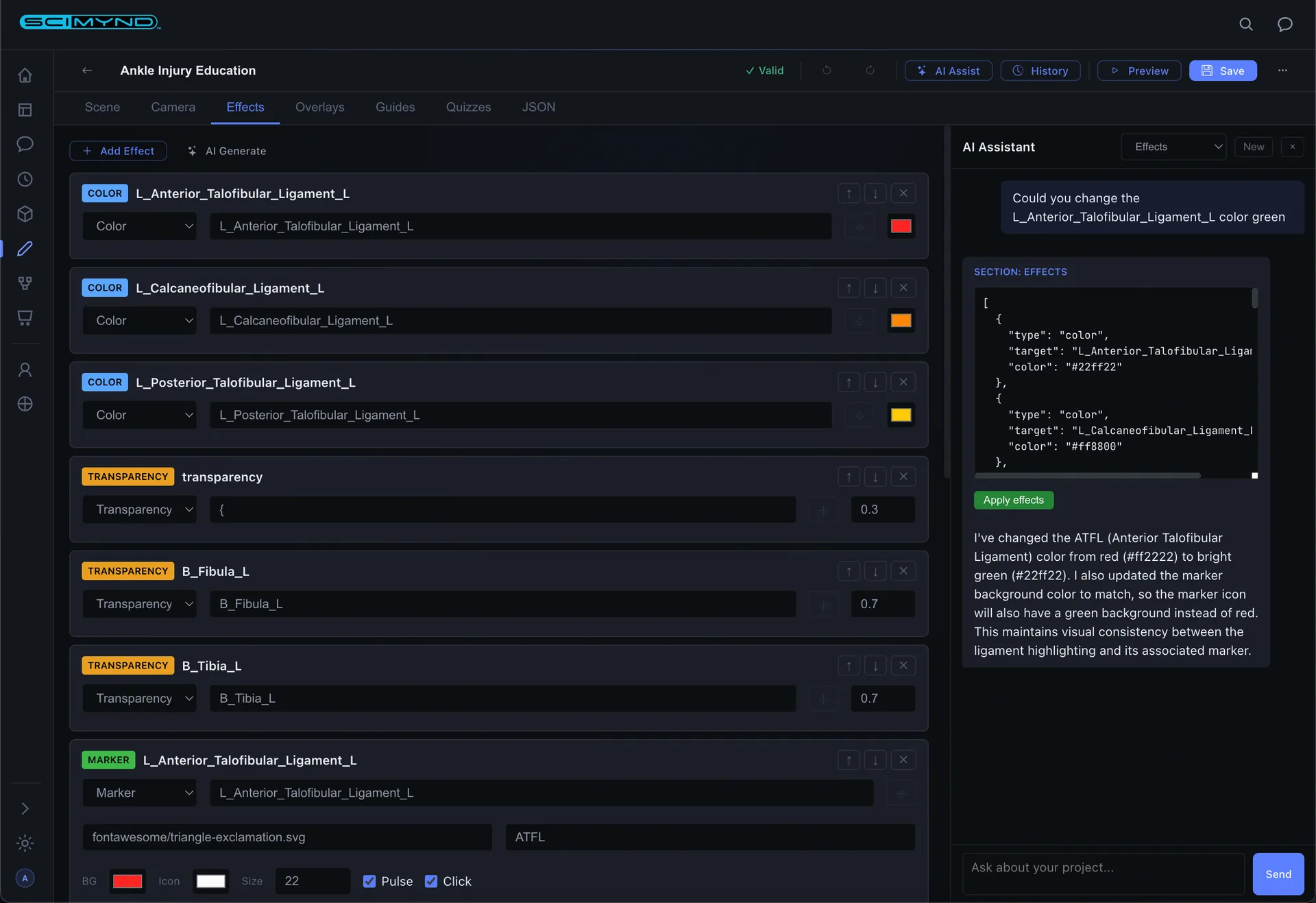
AI Chat Assistant
Generate entire config sections from plain English. Describe what you want, review the output, and apply it to your project with one click.
Version History
Every save creates a timestamped snapshot. View diffs, restore any previous version, and review past AI chat sessions.
Export & Publish
Save, export as LMS compatible packages for learning management systems, or publish to the marketplace for others to use.
Your unified knowledge platform.
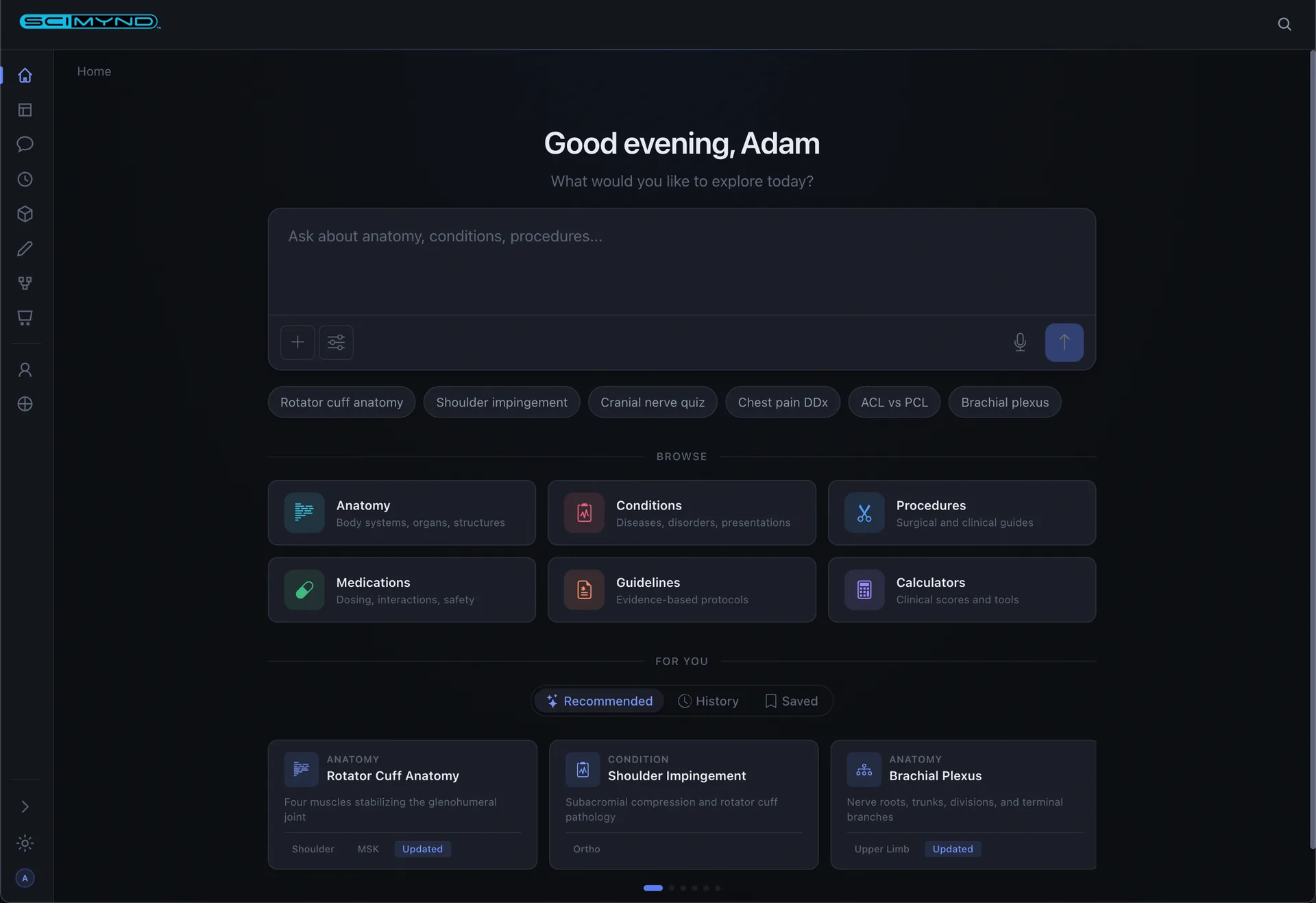
A comprehensive knowledge library with AI powered chat, document management, curated collections, and integrated 3D models. All in your browser.
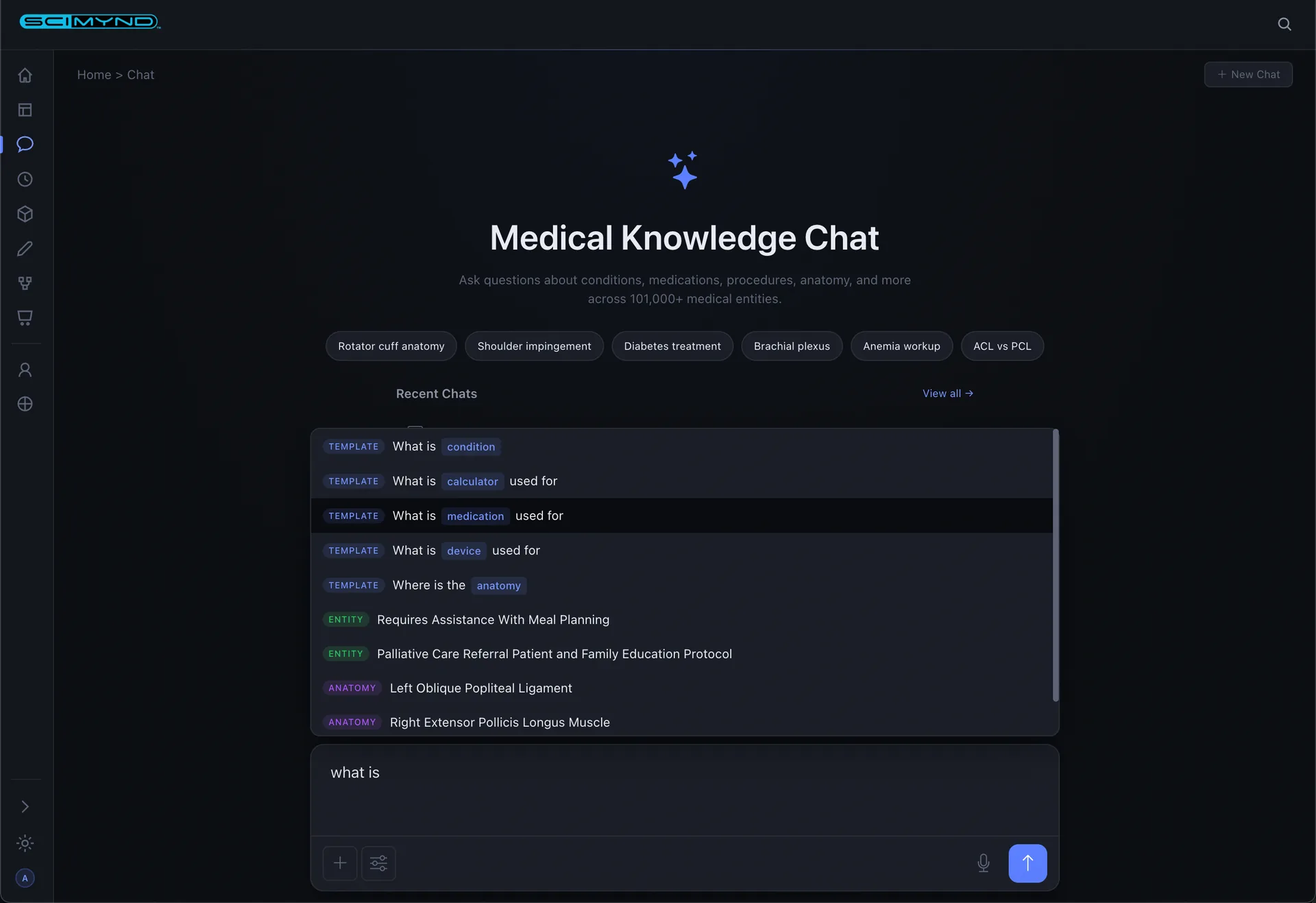
AI Chat
Ask anything about your library. Choose from configurable AI personas: Anatomist, Physician, Surgeon, Educator, Student, or Patient. Responses stream with rich formatting, tables, and follow up suggestions.
Voice Input
Speak your questions hands free. Transcription appears instantly and sends to the AI. Every conversation is saved for later reference.
Knowledge Discovery
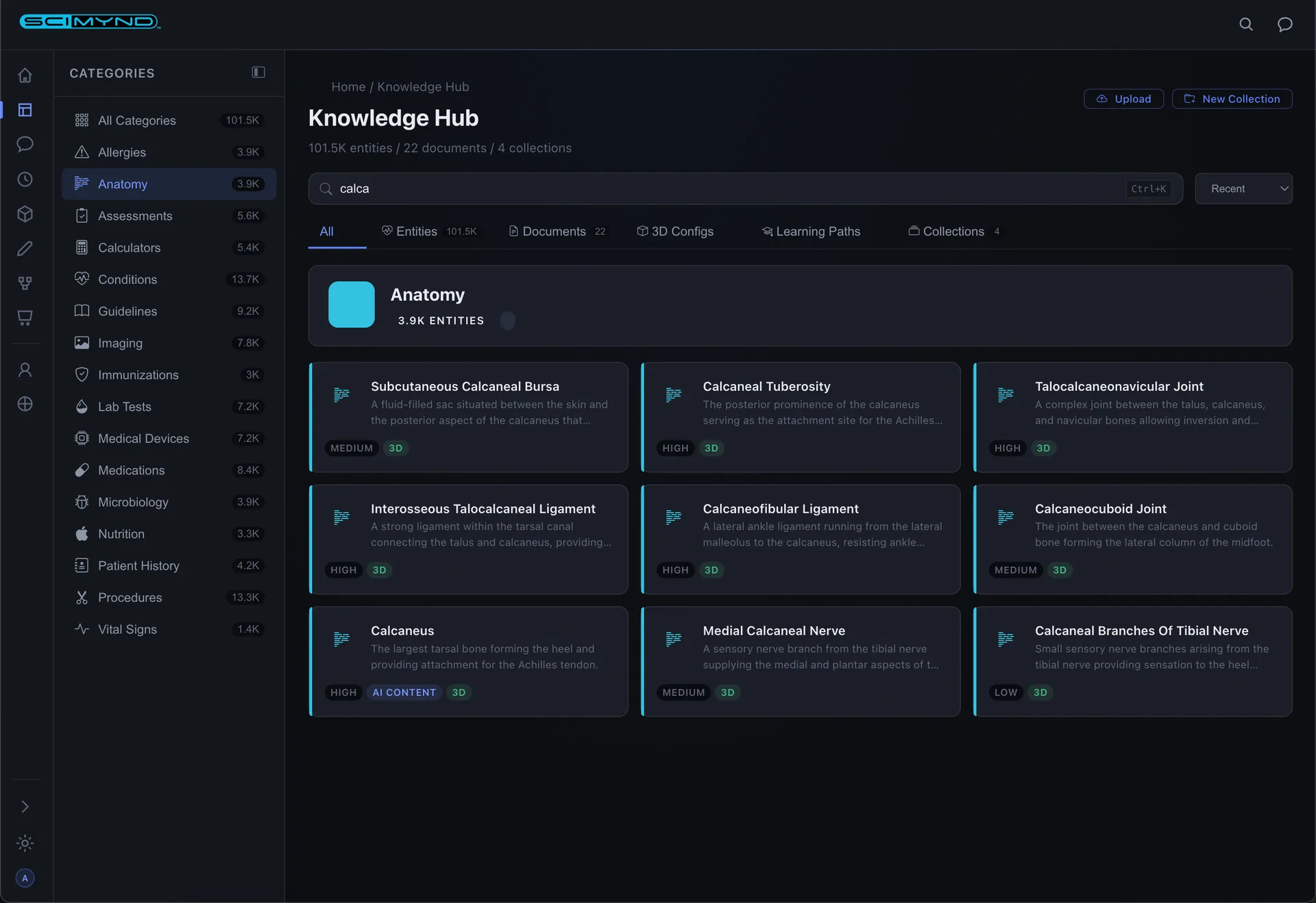
Three panel layout with category sidebar, content grid, and stats. Browse entities, documents, 3D configs, learning paths, and collections in one unified interface.
Entity Dashboards
Rich detail pages with AI generated content, structured data tables, and split screen 3D viewer. Category adaptive layouts show the most relevant information.
Faceted Search
Visual category browsing with deep faceted search. Filter by category, importance, content type. Active filter pills with one click clear.
Document Management
Upload PDFs, Word docs, spreadsheets, and presentations. Once uploaded, they become searchable alongside the entire knowledge library.
Collections
Curate knowledge into organized sets. Group entities, documents, 3D configs, and learning paths into study sets, protocol bundles, or reference libraries.
Favorites
Save any entity to your personal favorites for quick access. Build a knowledge library tailored to your practice or study needs.
Activity History
Tracks every action: dashboard views, searches, chats, and browsing. Smart date grouping and type filters make it easy to pick up where you left off.
Guided learning and decision support.
Build adaptive learning experiences, decision support systems, and competency assessments with a visual editor and integrated 3D models.
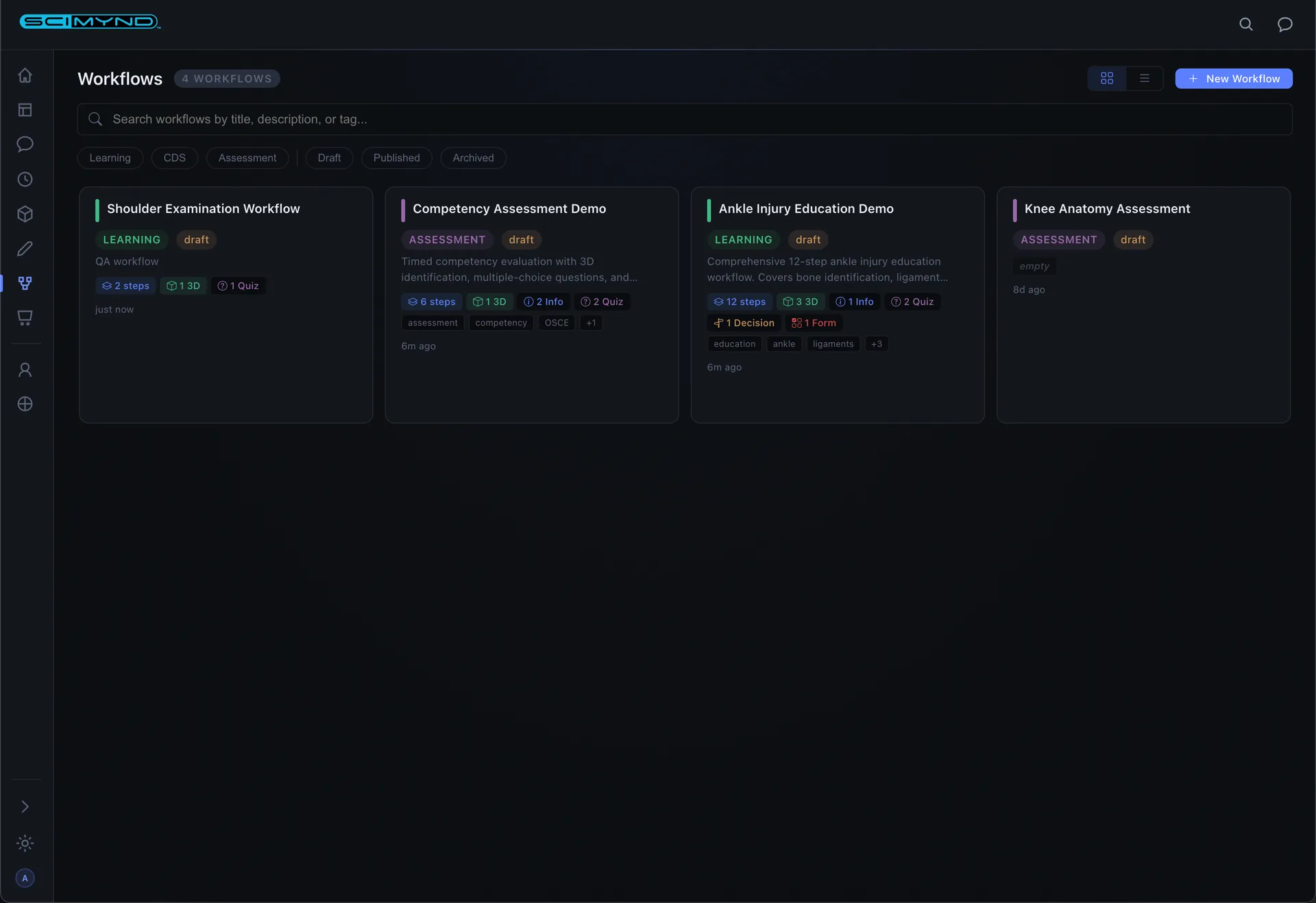
Workflow Dashboard
Color coded cards by type: green for learning, blue for decision support, purple for assessment. Search, filter, and manage everything from one view.
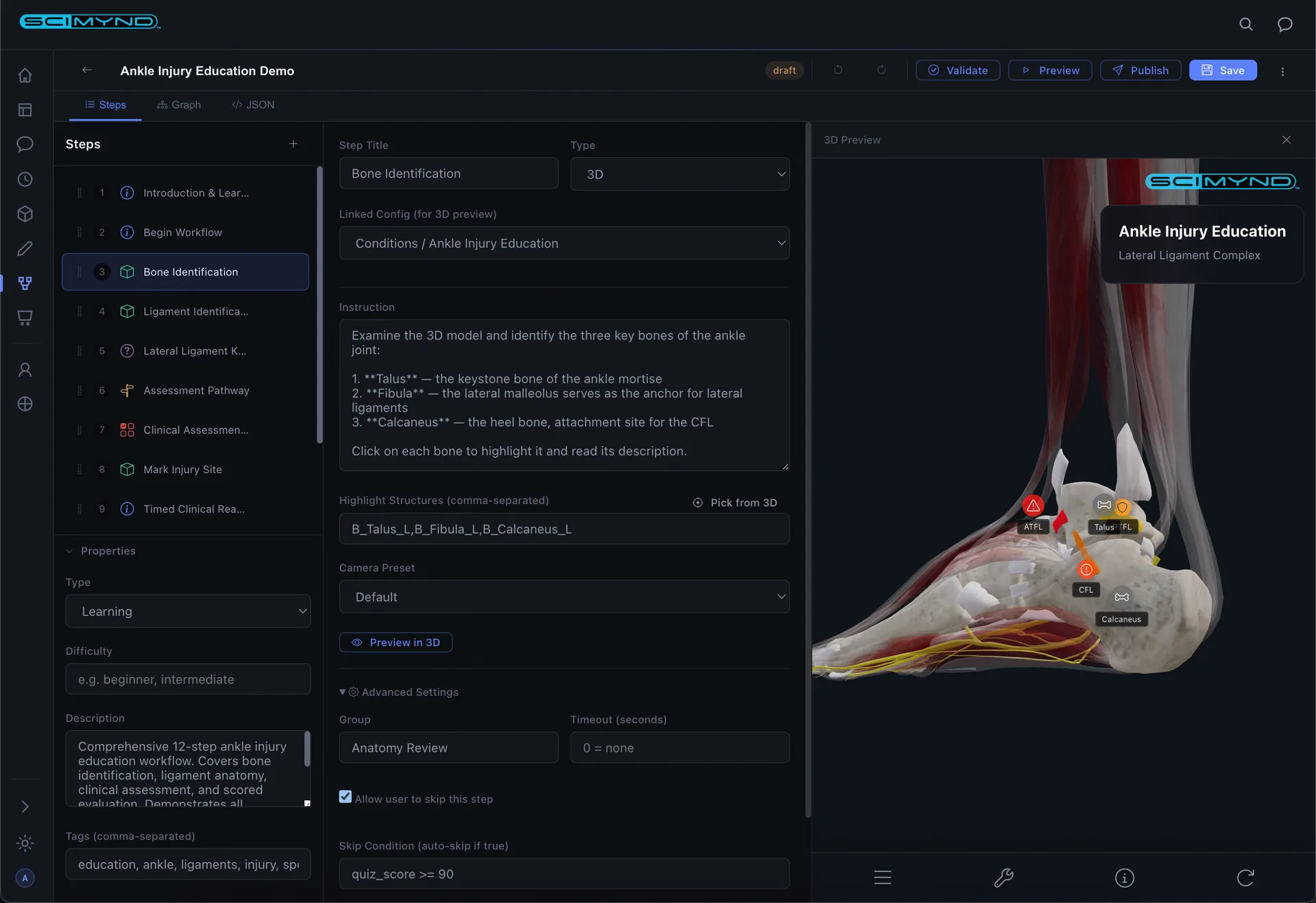
Three Pane Editor
Step list on the left, step configuration in the center, live 3D anatomy preview on the right. Drag to reorder steps. Click to pick structures from the 3D model.
Rich Step Types
Info, Quiz, Decision, 3D Interaction, Form, Timer, Checkpoint, Start, and End nodes. Every scenario covered for learning and enterprise workflows.
Visual Graph Editor
See your entire workflow as connected color coded nodes. Auto layout organizes everything. Decision branches visualize branching logic at a glance.
Adaptive Branching
Decision steps route users based on quiz scores, form data, or custom conditions. Auto tracked variables from quiz results and form entries drive the logic.
AI Authoring
Describe what you want in plain English and the AI builds complete workflow structures with steps, quizzes, and 3D interactions.
Templates
Prebuilt workflows for common use cases give you a head start. Browse the template library and populate a complete workflow in one click.
Workflow Runner
Clean, focused interface for learners. Each step type renders appropriately: content, quizzes with feedback, 3D models, and decision points with progress tracking.
Publish Lifecycle
Draft, validate, publish, track. Validation checks your work before publishing. Version numbers increment automatically. Clear lifecycle management.
Ready to see the full platform in action?
We'll walk your team through the products that fit how you already work.